---
title: "Inserting HTML and links in a Joomla 2.5 plugin settings page"
description: "Joomla 2.5 has reached its end of life as for 12/31/2014. Please be advised this may be a security risk to your website. You can view more information about the end of life here. In our last article,..."
url: https://www.inmotionhosting.com/support/edu/joomla/joomla-2-5/html-and-links/
date: 2012-06-21
modified: 2021-08-16
author: "Brad Markle"
categories: ["Joomla", "Joomla 2.5"]
tags: ["Joomla v2.5"]
type: post
lang: en
---
# Inserting HTML and links in a Joomla 2.5 plugin settings page
Joomla 2.5 has reached its end of life as for 12/31/2014. Please be advised this may be a security risk to your website. You can view more information about the end of life [here](https://docs.joomla.org/Joomla!_CMS_versions).
In our last article, we showed you [how to use spacers](/support/edu/joomla/spacers/) in a Joomla 2.5 plugin’s XML file. Using spacer fields, you can add HTML to your plugin’s settings page.
## How to use Spacers to add HTML
The key to using HTML within a plugin is to change:
- > to >
- < to <
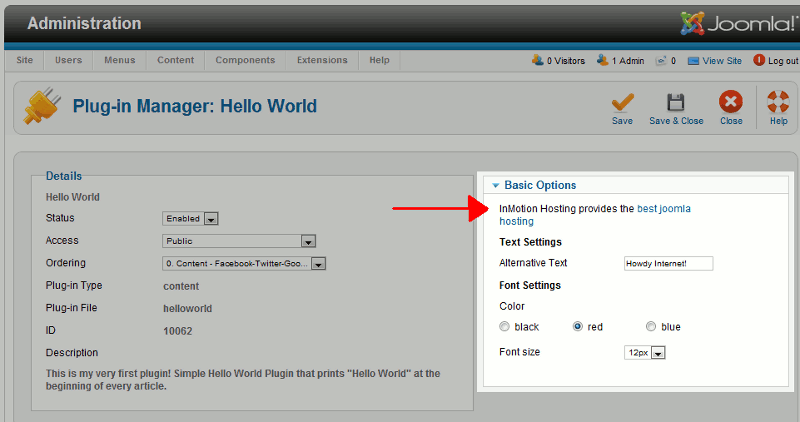
If we wanted to insert the following link into a plugin’s settings page:
InMotion Hosting provides the best joomla hosting
… We would need to change the code to:
InMotion Hosting provides the <a href=’https://www.inmotionhosting.com/joomla-hosting/best-joomla-hosting.html’>best joomla hosting</a>
## Example Spacer code that prints HTML
The following is the code we added to our plugin’s XML file and the results:
[](/support/wp-content/uploads/2012/06/edu_joomla25_create-plugin-tutorial_using-html-in-a-plugin-xml-file.gif)