This article guides you through enabling product returns in your PrestaShop 1.5 store. There may be times when a customer wants or needs to return a product you have sold them. Maybe it was the wrong item, or they simply changed their mind and wish to return it. For them to do this you will want to turn on the merchandise return option for your shop. This creates the ability for customers to issue a Return Merchandise Authoriztion (RMA) directly from their accounts. To set the product return setting in PrestaShop 1.5, simply follow the steps below.
Setting merchandise returns in PrestaShop 1.5
- Log into your PrestaShop 1.5 admin dashboard.
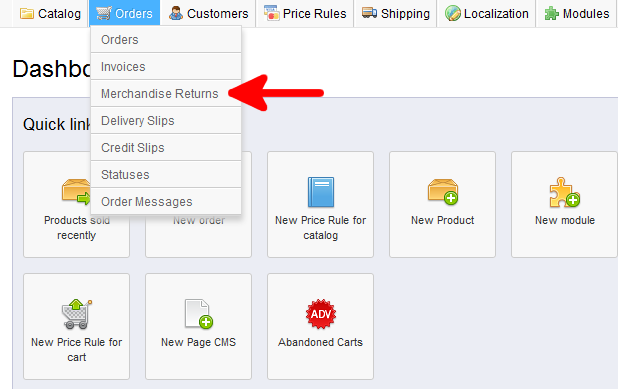
- Using the top menu bar, hover over the Orders tab and click on the Merchandise Returns option.
- You will be taken to the Merchandise Returns screen. At the bottom is the Merchandise Returns (RMA) Options section. From here select the radio button with the green checkmark labeled Enable Returns. This enables product returns for your shop. Also below that is the Time limit of Validity which is the number of days the customer has to return a product.
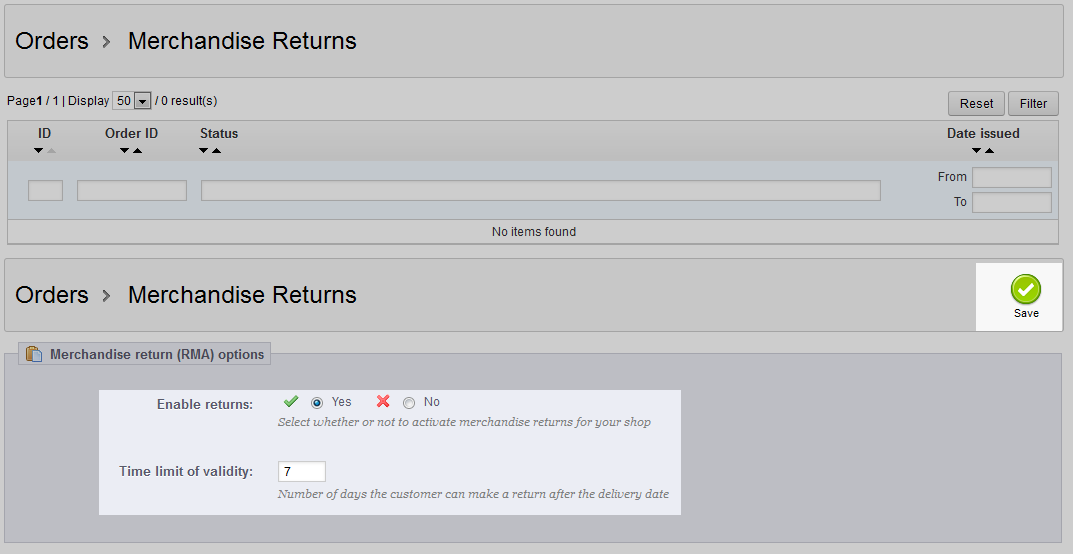
- Once you have enabled the product return setting and set the number of days they have to act, click the green save button in the upper right corner of the page section. This saves your setting and customers can now issue a return if they so choose.
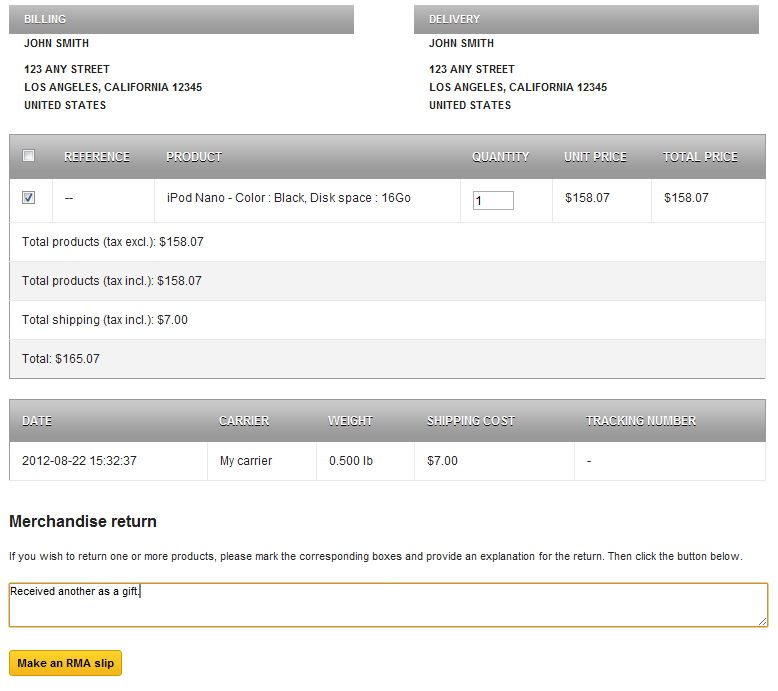
Within the customer interface, the customer will have a checkbox next to their prouct as well as a section to add a reason for their return. Below is an example of a customer return being created.