Once your Magento 1.6 store is up and running you may change which products your store carries. In cases like this, you may want to actually delete or remove products from your store. Deleting products is easily accomplished in the Magento 1.6 backend panel.

  1. Log into your Magento Admin Panel
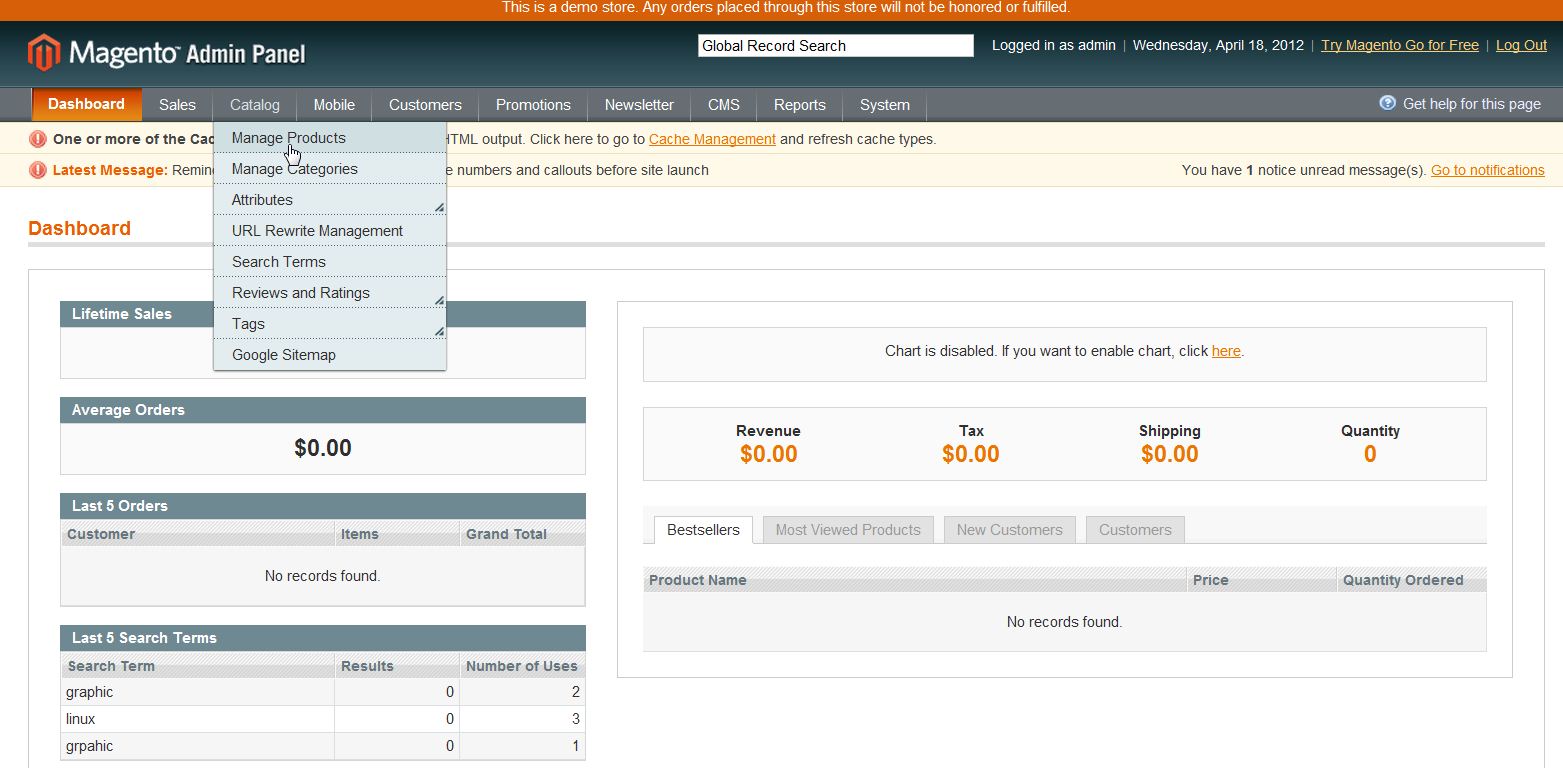
  2. Go to Catalog ->> Manage Products
  3. magento_add_product_1

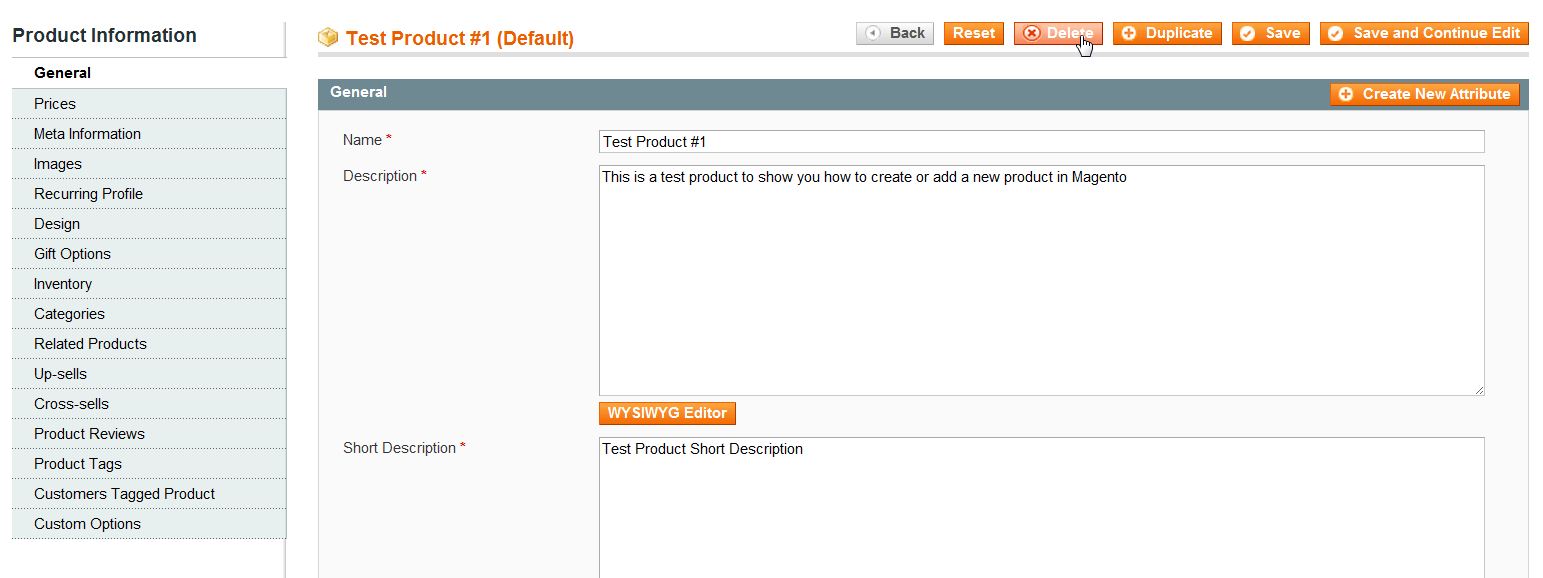
  4. Click on the product you want to delete
  5. magento_delete_product_1

  6. Click "Delete"
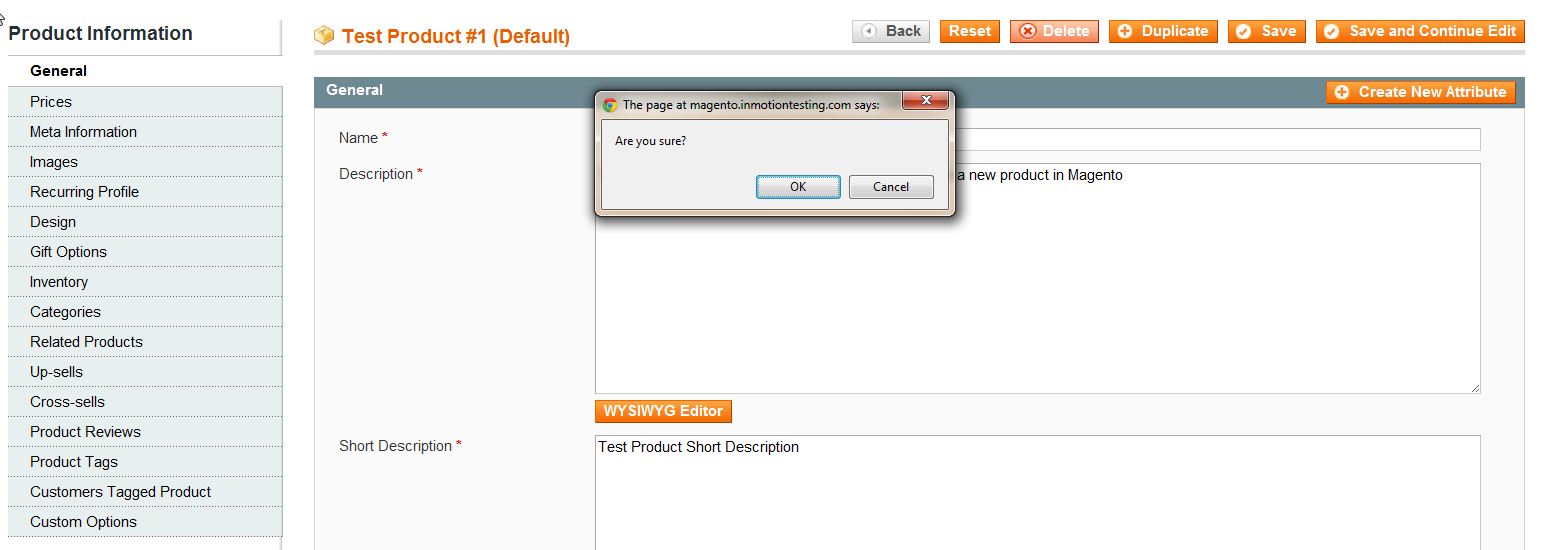
  7. magento_delete_product_2

  8. Click "OK"
  9. magento_delete_product_3

If you need further assistance please feel free to ask a question on our support center.

Like this Article?

Login to comment.

Your Opinion Matters

... but we need to know what you're thinking!

I'm Tim Sisson, your friendly Community Support technician, and I wrote the article you're looking at now. I like to think it's perfect, but I'm sure you have some suggestions. Please, let me know what they are!

Feedback
Your Email Address
Because we'd like to talk with you!

Latest Questions

If you need some help, submit your question to our Community!
We guarantee a response within 60 minutes (8am - 9pm EST, Monday - Friday)
Ask a Question!
Recent Questions
  1. register and order details
  2. 10+ hours offline and no solution. Why?
  3. How do you add new products using the Product Import extension?

Need more Help?

Search

Ask the Community!

Get help with your questions from our community of like-minded hosting users and InMotion Hosting Staff.

Current Customers

Chat: Click to Chat Now E-mail: support@InMotionHosting.com
Call: 888-321-HOST (4678) Ticket: Submit a Support Ticket

Not a Customer?

Get web hosting from a company that is here to help. Sign up today!